Making "iPod"
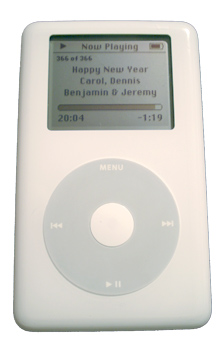
Now for the inside of the card. Again, I knew exactly what I wanted. I wanted the image of an iPod whose screen read "Happy New Year." My initial thought was that it would be very easy to take a picture of an iPod at the right angle and then I'd just use Photoshop trickery to get the right text on the screen. I have a number of books explaining various Photoshop techniques and I practiced the relevant ones a few times. Here's an example of an in-progress screen edit.
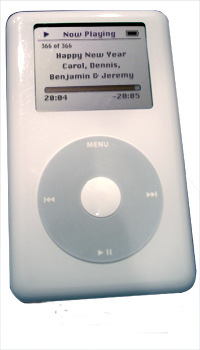
Given that the entire screen was drawn by me in Photoshop, it actually looks very good, and I'm happy that I learned how to do it. But the picture of the iPod itself leaves something to be desired. It has a big shadow on it that I could not eliminate. As it turns out, it is very hard to take a nice picture of a shiny white product unless you have good indirect lighting and a tripod, neither of which I have. (Actually, I have two tripods but couldn't locate either one and I was unwilling to purchase another one just for this card.)
After about 3 days of unsuccessful attempts at getting this right I had my first epiphany. All of a sudden I realized that I didn't have to use Photoshop to manipulate the iPod screen; I could use iTunes to manipulate the iPod screen. All I'd have to do would be to find a song that was about 21 minutes long, copy it, and set its ID3 tags to the proper values. Then it would just be a matter of photographing the screen at precisely the right moment (when the time said 20:04). The only Photoshop trick would be in editing the time remaining so it said "20:05", but that ought to be very simple.
It wasn't. You can see that, despite the fact that I could get the content on the screen, when I positioned the iPod so that there were no shadows it was very hard to read the screen. And when I positioned the iPod so that the screen was legible, the iPod itself looked bad.